QUESTIONS?  251.476.1987  | Email  |  Blog

Blog:

building loyalty through smart communication

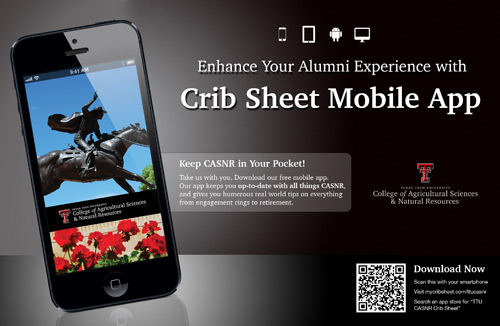
We’re excited to release another big update to our app, Crib Sheet, which we think solves two big problems that your institution faces when trying to communicate via social media.

Problem #1 – Lots of external news

Your alumni may follow 200+ friends and organizations on Facebook and Twitter. Your message is often missed or you’ll need to pay to have it seen.

Problem #2 – Lots of internal news

Your organization may have tens or even hundreds of news feeds across Facebook, Twitter, YouTube, Flickr, RSS, Pinterest, Vimeo, and so on. For your alumni, finding the specific news they want to follow is hard.

The newest version of our app debuts several improvements targeted at getting your users to easily see and follow your social media.

- WE FIND ALL OF YOUR FEEDS

Like pigs hunting for truffles, we sniff out (almost) ALL of the social media from your organization (alumni and greek chapters, sports blogs, student clubs, academic departments, and so on) and serve them up in one simple app.

Providing lots of niche news choices is key to building a strong alumni news following. Let’s say you have an alumnus who played soccer, studied history, and belonged to Kappa Delta Something. He or she wants to read news tailored to those interests.

- CATEGORIES

Some organizations have a LOT of feeds (some of our customers have 250+). To make finding those niche interests a little easier, each feed is now listed within a useful category such as “Sports” or “Academics”.

- FEED IMAGES (thumbnails)

To make the app fun and engaging, we attach a tiny “thumbnail” image to every news feed to give the user a visual sense of what the feed is all about.

- EASY TO CUSTOMIZE

As you add (or we find) additional feeds from your organization, these new feeds are highlighted in a “New” category, making discovery of news fun and easy.

Also, users can remove feeds (but not your features) by simply tapping on a little “x” next to those stories which they don’t want to read.

- THE TAKEAWAY

A fundamental demand exists for your organization’s news. This is currently being met by a variety of websites and social media. Now your office can satisfy this hunger by offering all this news to your alumni in a beautiful app… branded by you.

For users, reading your news just “feel good”. It’s personal, easy, and fun.

Put another way, when you serve these hard-to-find truffles on one elegant plate, your alumni will eat it up. We hope everyone enjoys it!

This update will be available soon on iPhone, iPad, Android, and our desktop app.

What’s all the buzz about? Crib Sheet 2.0

by Nicole on February 23, 2012

in Our App

Over the past few months, we’ve been busy bees building a great new update to our app, Crib Sheet. Now we’re really excited for you to see what all the buzz is about.

- MORE BEAUTY

The most obvious improvement can be seen in the news feed. We’ve added an image to every story to add more beauty and “pop” to the app.


The banner at the top of the news tab also rotates to make the app feel more “alive”, and to remind users about all of the great content the app has to offer.

- EASIER SHARING

You’ll find one-tap sharing on almost every screen of the app. We think that easier sharing on Facebook, Twitter, email, and SMS will result in many more downloads and visits of your app.


Since Crib Sheet is customized for a school or organization, we think sharing the app with a smaller group of friends (e.g. fellow alumni) is more powerful than sharing with ALL friends.

So, we’ve added a special Facebook sharing function which allows users to share with friends from ONLY your organization.

- FASTER

Speed in an app is crucial, so we found ways to increase speed and reduce taps everywhere. For example, you’ll find a faster news feed and one-tap sharing right from your news feed.


In addition, tapping on a news story now takes you directly to the full article, which is particularly powerful on the iPad:

- MORE GUIDANCE

We provide more instructions for the best way to enjoy the app.

Our rotating banner provides more helpful tips.

- RELEVANT ADS

We view advertisers as important partners to the app.

Our advertisers give schools the chance to subscribe at discounted rates and they give users the chance to take the “next step” when learning about auto insurance, investing, etc.

So we’ve made ads more visible (when in context) within our life 101 content.


It’s with great excitement that we debut these updates. Search almost any app store for “Crib Sheet” to see many customer examples (this update will go “live” the week of Feb. 27th).

We welcome feedback or suggestions – e-mail me. We are already back in the hive, working to make your app experience even sweeter.

Enjoy!

Subscribe to the Cap & Compass Blog by Email

FAQ: How To Close Your App

by Nicole on December 16, 2011

in Our App

This is a quick “frequently asked questions” post if you want to show off your beautiful load screen or view an update made from your Dashboard.

The short answer: close your app then re-open it.

Sometimes your app stays open in the background as a benefit of “multi-tasking”. Your app will close on its own after a period of time, but you can force close it now using the following steps:


Subscribe to the Cap & Compass Blog by Email

This post is part of a series for our customers on easy ways to promote your app.

Have you ever read the “Eat This, Not That” books? They’re fun books that not only tell you what’s bad for you, but they give you a healthier alternative.

I hope this post will give you similar “healthy” tips for promoting our app (or any app) via your social media and get you more downloads.

A Typical Mobile Reader

I’d like to caption the above photo: My husband reading e-mail while holding toddler and doing dishes.  The truth is that your typical “mobile reader” is a multitasking alum with a short attention span and a tiny screen.

The below tips will help get your typical mobile reader to quickly download your app.

Tip #1: Keep it simple.

Link directly to the app (using our smart link, see Tip #2). If you send users to another page describing the app with more instructions for downloading the app, they’ll give up.

Tip #2: Make your links tappable. 

If the “http://” prefix is in your link, it will usually be tappable (otherwise, it may just be text). In the above example, our smart link recognizes the reader’s device, and gets them to the right app store to download the app.

Tip #3: Use your actual app name.

Some readers will search for your app in an app store. If you supply extra words, their search results might be empty.

Tip #4: Give specific reasons to download the app.

Tell them it’s FREE, available on iPhone, iPad, Android, BlackBerry, and any computer. It’s full of news from you and useful life tips.

Tip #5: Don’t use QR codes in social media.

QR codes are cool, but they’re best used in print ads. A QR code is scanned by a phone. If users read your post on their phones, they would need to set up a complicated set of mirrors to scan your QR code.

Here’s an ideal post (from a fictional college):

##

The “Faber Alumni Crib Sheet” is live! Search for our FREE app in any app store with timely news from us and humorous life 101 tips for you. It’s available on iPhone, iPad, Android, BlackBerry, and any computer. Learn more at http://www.mycribsheet.com/faber.

##

And if your creative juices are running low, we’ve got monthly post suggestions for you. Or, feel free to run a post by me at nicole@capandcompass.com.

Subscribe to the Cap & Compass Blog by Email

A Happy Update To Our Crib Sheet App

by Nicole on November 16, 2011

in Our App


One of our newest topic photos

The happiness of our customers is what drives our happiness, which makes us very pleased to announce a great new update to our Crib Sheet app.

Thanks to the great feedback from our buyers and users, we’ve made a bunch of improvements which make the app easier to use and understand.

What’s the most important highlight of this update? Five new smart and helpful topics that range from the keys to happiness to the keys of a rental car.

(1) Happiness: Yep, read this topic and you’ll be happy forever.

(2) Disability Insurance: Prepare yourself for that “staple injury” that prevents you from earning a paycheck.

(3) Wills & Trusts: We know you’ll never die, but just in case… we’ve got your crib sheet for planning for the stuff and people you’ll leave behind.

(4) Long-term Care Insurance: Until the Fountain of Youth is sold in aisle 6, this topic is a must read.

(5) Rental Cars: We help you navigate all those extra fees, insurance choices and more.

We hope you love the new content. And stay tuned, because we have more exciting updates to come soon.

Subscribe to the Cap & Compass Blog by Email

Why is our app called Crib Sheet?

by Nicole on November 8, 2011

in Our App


Why do we call our app Crib Sheet? As we designed the app, we searched for a name that would capture both sides of our app – your news and our life 101 topics.

“Crib sheet” is slang for a list of answers a student takes into a test. In the test of life, our topics are intended to be just that – quick answers to help you avoid missteps. Our topics aren’t intended to explain everything, but instead give quick and key tips.

The name also works for your news content. Our news tab is designed to give your users a quick run down of the latest news from your institution. They can scan lots of news on one simple screen and tap to learn more when something catches their eye.

We reference the Crib Sheet name throughout the app, to provide cohesiveness between the news and topics tabs and to differentiate it from other apps from your institution.

Crib Sheet in app stores

Crib Sheet on app icons (helps differentiate it from other apps)

Crib Sheet in our topic photos

Crib Sheet in our custom promotional materials

Attention spans are short and mobile screens are small. Users (especially repeat users) want quick and fast answers. Our app is their crib sheet.

Subscribe to the Cap & Compass Blog by Email

Creative Features: Spice Up Your News Feed

by Nicole on October 24, 2011

in Our App

In our recent post, we highlighted our “secret sauce” of the features and feeds in the News tab of our mobile app.

Maybe we’re hungry around here, but this post is focused on ideas to add in some extra flavor to your News tab through the creative use of features.

For starters, we offer five types of features. How you use them is only limited to your imagination:

(1) Links: Direct users to any external website such as benefits or giving pages, class notes, spirit store, event calendar, directory or an important YouTube video.

(2) Feedback forms: Request user-specific feedback such as address updates, RSVPs, or pledges.

(3) Polls: Request and share anonymous feedback such as demographic information, alumni event planning, or app feedback.

(4) Photos: Post a series of photos to promote an event, highlight an achievement, or show campus happenings.

(5) Emails: Give users a simple way to e-mail someone other than the administrator of the app, for services such as resume review, transcript request, or class notes submission.

Be creative! Below are some examples from our wonderful customers:

E-mail Feature: Auburn's E-Resume Review

Poll Feature: Saint Joseph's Demographic Poll

Link Feature: NC State's link to a Students Today Alumni Tomorrow video.

For a creative example of a feedback form, read our post on LaSalle University’s Scavenger Hunt.

Think of features as spices. Sprinkle them into your News feed to keep app users abreast of alumni events and resources, and garner their feedback in return.

Subscribe to the Cap & Compass Blog by Email

The 8-page Insert: Our Field of Wildflowers

by Nicole on October 10, 2011

in Our Books

Two blocks from my house is a big open field. My kids like to run in it, neighborhood dogs like to fertilize it – in short, it is generally enjoyed by everyone around us.

The other day, it turned vibrantly purple.  Soon, perfectly rational adults were staging pet photo shoots and roving bands of little girls were gathering weedy bouquets. In short, something good got even better.

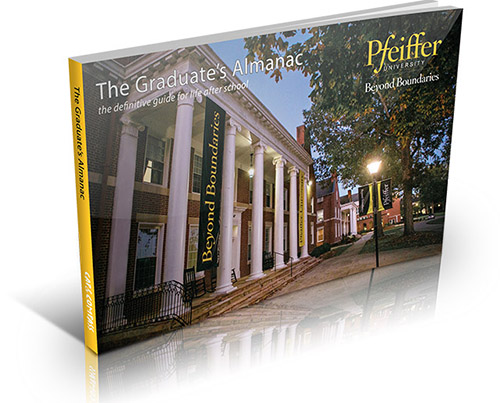
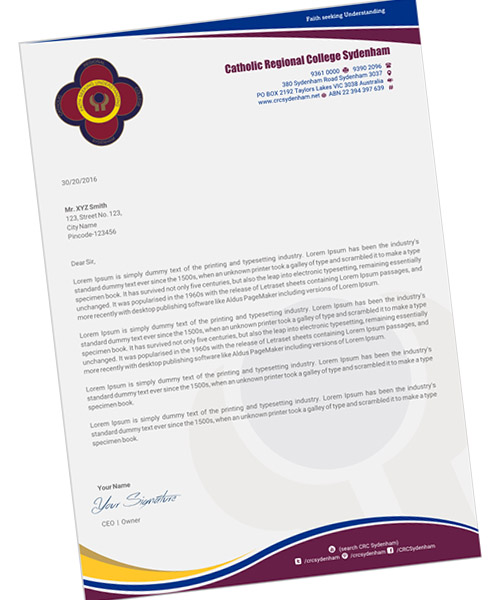
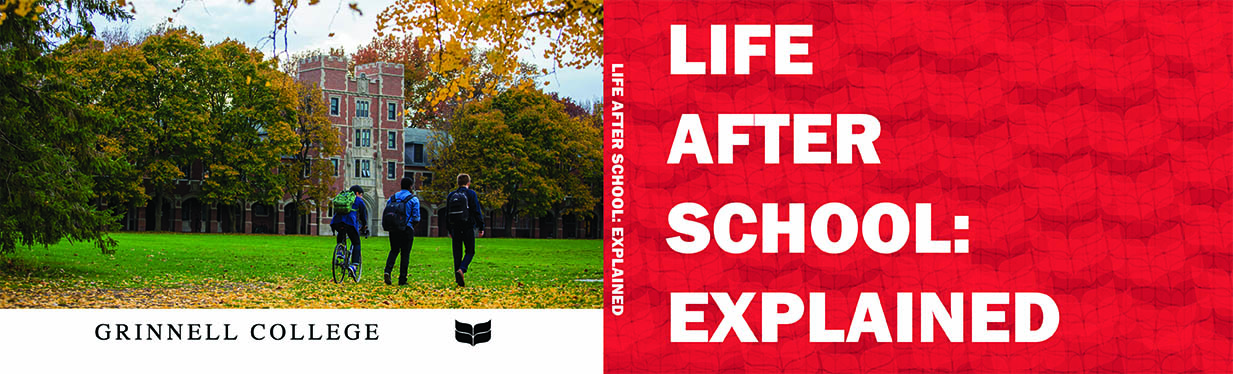
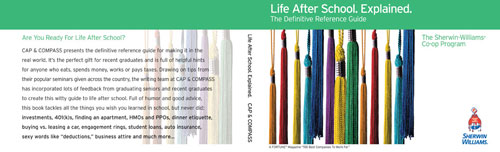
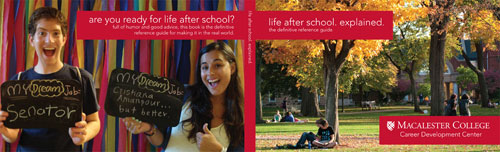
Our customers customize the outside and inside cover of our book and give it as a thoughtful gift. Graduates love our content and our buyers love the branding.

So how do you make it even better?

Add 8 pages of custom content to the front of the book. It’s not quite a field of wildflowers, but the 8-page insert is a great way to share a lot of specific information about your institution.

We love to read the creative ways our customers use their insert:

Keeping In Touch: Showcase the ways your alumni or members can stay connected.

Benefits: Share details of your alumni benefits program.

Career Services: Let your alumni or members know about career services you offer.

Our 8-page insert is an inexpensive way to include substantial information about your institution. We can even print color pages (at a slightly higher cost) if your information looks better nestled against something bright, like say a field of purple wildflowers.

Subscribe to the Cap & Compass Blog by Email

Feeds & Features: Our Secret Sauce

by Nicole on September 30, 2011

in Our App

The Colonel has a secret recipe for his KFC chicken. Coca-Cola locks up their secret formula in a vault. Our app has its own secret sauce: our feeds and features.

The elegant simplicity of our feeds and features keeps both our buyers and end users in an slightly above-average state of bliss. This post explains how they work, and why.

Feeds
Feeds contain the news and stories told via your social media (Twitter, Facebook, Flicker, YouTube and RSS feeds). The posts appear chronologically (most recent at the top), so if you include a lot of feeds, your users will always have something new to consume.

Since users want news that is both fresh AND relevant to them, they can self-select the feeds that are important to them. So Bobby can select just the College of Engineering and baseball feeds, because this is what he cares about and will return to the app to read it.

Your users can select which of your feeds to follow.

We encourage our buyers to add as many feeds as possible (campus newspaper, regional clubs, blogs, organizations, and so on).

With lots of feeds, users can select a robust group of niche interests from an institution they love.  This will keep them interested in returning to the app again and again.

Features
Think of features as “billboards” from you, the buyer (e.g. a school). Features are the best way to get a message to ALL of your users, over a longer period of time.

Tell your users what you want them to hear, and even solicit their feedback.  Features can include address update forms, event RSVPS, links to your website, and videos promoting your next event.

Features appear every third item in your news feed and never disappear (users can’t turn them off and they never “roll down” your feed). When Bobby checks his feed, he’ll also see your features.

Our buyers can add and delete as many features as they’d like, and prioritize them in a certain order. When you update a feature, your users see your change immediately.

We think the reason our secret sauce works is its simplicity.

For a user, news from their beloved institution can be found in one simple place – the News tab. Open the app and read fresh, relevant news. No thought, decisions, or extra taps are needed. Open and read.

For our buyers, features and feeds are easy to include and appear in the most heavily trafficked part of our app. They get eyeballs.

So that’s our secret sauce. And after you use our News tab a few times, we think you’ll like it even more than a bucket of chicken and a medium-sized drink.

Subscribe to the Cap & Compass Blog by Email

Celebrating Ten Years

by Nicole on September 13, 2011

in About Us,Our Books

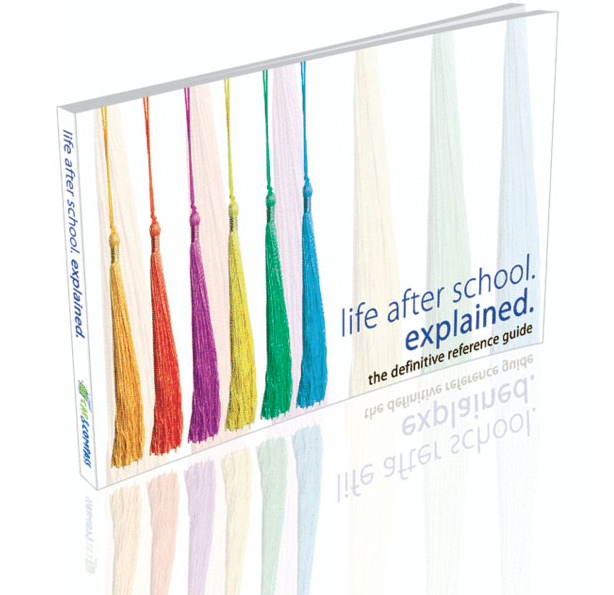
Ten years ago, in the unfinished basement of our tiny Connecticut home, Jesse wrote the first edition of our flagship book, “life after school. explained.

What I remember most about that time are the late nights sitting next to each other in that damp New England basement – Jesse endlessly editing and trying out new jokes, making me laugh out loud while I was trying to write papers. It was our first year of marriage, my first year of graduate school, his first entrepreneurial venture.

The book was born out of a seminar series. In the beginning, schools would advertise free pizza to get their students to a taxes seminar. Jesse quickly learned that if you don’t make HMOs and 401(k)s funny, people will smile, take their pizza and leave.

The book has had its high moments: when a 22-year-old Marist College grad was elected mayor of his town and credited his early success to our book in his inaugural speech. And he’s not even related to us.

Photo from an article in the Hartford Courant, 12/6/05

And, of course, there have been low moments: like when the warehouse storing books caught fire. We learned that books are made of wood.

Over the years, we’ve loved watching our creative process spark the creativity in our customer schools – from amazing cover designs to cover photo shoots.

With over half a million copies sold, the book is very much still a living document. Over the years we’ve improved the customization options, revised pop culture references (Britney Spears out, Kim Kardashian in) and kept up with technology (Facebook didn’t exist, so neither did Facebook etiquette).

Most recently, we added chapters on Unemployment, Renters Insurance, and Travel Insurance. The book content is the foundation of our newest product – a mobile app called Crib Sheet.

A decade later, Jesse is still at his desk making edits to the book and I’ve joined him. We’ve traded in a damp New England basement for a humid Orlando office, and been joined by a local staff and a team working around the world to improve our products.

We hope you will give the updated book a read, and welcome your feedback.

Subscribe to the Cap & Compass Blog by Email